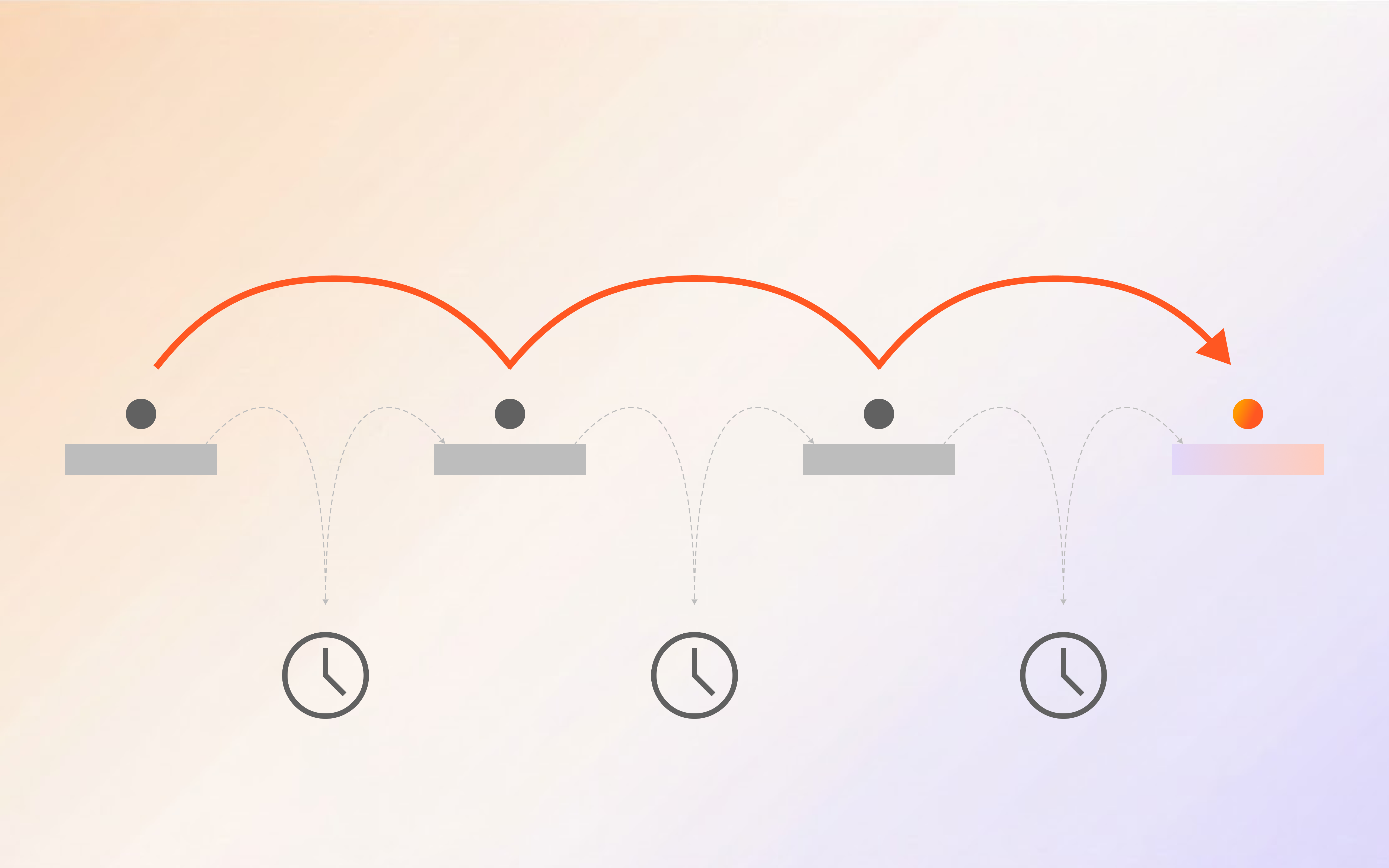
Your team spent 14 hours last month copying data from one spreadsheet to another. You know this because you watched them do it. The data was already in your systems; it just needed to move from System A to System B, get formatted, approved, filed, and logged. A human did all of that. A machine could have done it in minutes.
That is business process automation in a nutshell: taking repetitive, rule-based work that eats your team s time and letting software handle it instead. Not the flashy robots replacing humans version you see in clickbait headlines. The practical version. The one where your analysts stop doing data entry and start doing analysis.
This guide covers what BPA actually is, how it differs from related concepts like RPA and BPM, where it delivers the biggest wins, and exactly how to implement it. Whether you run a five-person operations team or a 500-person enterprise, the playbook is the same. Start small, measure everything, expand what works.
Key Takeaway: Business process automation uses software to handle repetitive, rule-based tasks across departments. Companies that implement BPA typically see 15-30% cost reductions and 20-50% faster process completion within the first year.
What Is Business Process Automation (BPA)?
Business process automation (BPA) is the practice of using software to execute recurring business tasks with minimal human intervention. It replaces manual steps with automated workflows that follow predefined rules, trigger conditions, and data-driven decisions.
Think of it as giving your operations team a tireless assistant. The assistant handles data entry, document routing, approval chasing, report generation, and compliance checks. The human focuses on judgment calls, relationship building, and strategic thinking.
BPA is not just about speed. It is about consistency. A human processing invoices might miss a duplicate 2% of the time. An automated system catches 100% of them. A manual compliance report might have a formatting error every third quarter. An automated report looks identical every single time.
According to McKinsey s 2024 Global State of Digital Transformation report, 67% of organizations that implemented process automation saw measurable ROI within 12 months, with average cost savings of 22-35% on automated processes. The median payback period was just 8 months.
Where Your Operations Budget Actually Goes
Most operations teams think their budget goes to strategic projects. Then they track time for two weeks and discover the truth: 50-60% of operational hours disappear into tasks that require zero judgment. Data entry. Copy-pasting between systems. Chasing approvals via email. Manually formatting reports.
Deloitte s 2024 Global Shared Services Survey found that 53% of shared services time is spent on transaction processing that could be automated. That is not a technology problem. It is a process design problem. The tools exist; most teams have just never connected them.
When you automate these tasks, you do not just save time. You free up capacity for the work that actually requires a human brain.
BPA vs. RPA vs. BPM: What Is the Difference?
People use these three terms interchangeably. They should not. Each addresses a different layer of the automation stack.
Business Process Management (BPM)
BPM is the strategic layer. It is how you design, model, execute, monitor, and optimize your business processes. Think of it as the blueprint.
Robotic Process Automation (RPA)
RPA is the execution layer for legacy systems. It uses software bots that mimic human actions on existing user interfaces. The limitation: RPA is brittle. If the UI changes, the bot breaks.
Business Process Automation (BPA)
BPA is the outcome layer. It encompasses both BPM and RPA, but also includes modern AI-powered automation that goes beyond simple screen-level tasks.
| Aspect | BPM | RPA | BPA |
|---|---|---|---|
| Scope | Process design & optimization | Task-level screen automation | End-to-end workflow automation |
| AI Integration | Optional (analytics) | Limited (screen recognition) | Core (NLP, ML, document AI) |
| System Integration | Model-driven | UI-level mimicry | API-first, native connectors |
| Best For | Process redesign | Legacy system automation | Modern workflow automation |
| Maintenance | Low (process changes) | High (UI changes break bots) | Medium (API stability) |
| Setup Cost | $15K-50K | $5K-25K | $2.5K-15K (no-code) |
The key distinction: RPA automates tasks. BPA automates processes.
Key Takeaway: RPA handles individual tasks by mimicking screen interactions. BPA orchestrates entire workflows using APIs, AI, and conditional logic.
Business Process Automation in the Real World
Healthcare: Patient Intake and Claims Processing
A regional healthcare network with 12 clinics saw processing time drop from 45 minutes to 8 minutes per patient. HIPAA documentation accuracy went from 94% to 99.7%.
Finance: Accounts Payable and Invoice Processing
A mid-market company processing 2,000 invoices per month dropped AP staff from 6 to 2.5 FTEs. Processing time went from 12 days to 2 days. Forrester found a 340% ROI over three years.
HR: Employee Onboarding
Automated onboarding triggers account creation across all systems within 15 minutes of offer acceptance. Welcome emails go out automatically. Equipment orders are triggered based on role.
Legal: Contract Review and Compliance
Legal team capacity increased by 35% without adding headcount through AI document processing.
IT Support: Incident Management
An AI-powered support agent handles 60% of tier-1 tickets automatically. The human team focuses on complex incidents.
Key Takeaway: The highest-impact BPA implementations target processes that are high-volume, rule-based, cross-system, and error-prone.
How to Build Your First Automated Workflow
Step 1: Pick the Right Process
-
High volume: More than 50 instances per month
-
Rule-based: Clear decisions with minimal ambiguity
-
Cross-system: Data moves between 2+ systems
-
Error-prone: Humans make mistakes regularly
-
Time-consuming: Takes more than 15 minutes per instance
Step 2: Map the Current Process
Before you automate, document what happens today. Track for each step: Who does it? What system do they use? How long does it take? What information do they need? What can go wrong?
Step 3: Design the Automated Workflow
-
Trigger: What starts the workflow?
-
Data extraction: How does the system get the information?
-
Validation: What rules need to be satisfied?
-
Routing: Where does it go next?
-
Execution: What action gets taken?
-
Audit trail: What gets logged?
Step 4: Configure (No-Code or Low-Code)
Modern BPA platforms let you build workflows visually. No coding required for 80% of use cases.
Step 5: Test with Real Data
Never deploy on live data without testing. Use 50-100 real examples from your history and compare results to manual output.
Step 6: Deploy and Monitor
| Metric | What to Measure | Target |
|---|---|---|
| Processing time | Average time from trigger to completion | 70%+ reduction |
| Error rate | Incorrect outputs per 100 instances | Below 1% |
| Straight-through rate | Handled without human intervention | Above 80% |
| Exception rate | Requiring manual review | Below 15% |
| User adoption | Team members actively using the system | Above 90% |
Where to Start: A Prioritization Framework
| Criterion | Weight | Score (1-5) |
|---|---|---|
| Volume (instances per month) | 3x | |
| Time per instance (minutes) | 2x | |
| Error rate (current manual process) | 2x | |
| Cross-system complexity | 2x | |
| Compliance risk | 1x | |
| Team frustration level | 1x |
Multiply scores by weights, sum them up, and rank. The process with the highest total score is your starting point.
The ROI of Business Process Automation
1. Direct Labor Savings
At $50/hour loaded cost, saving 28 minutes per instance across 200 monthly instances = $55,200 per year on a single process.
2. Error Reduction
A 2% error rate on 2,000 invoices means 40 problems per month. At $150 per error in rework, that is $6,000 per month. Automated validation catches 99%+.
3. Speed Improvements
Faster processing captures early-pay discounts, speeds new hire productivity, and catches compliance issues before penalties.
4. Capacity for Growth
Automate 60% of routine work and your team handles 2-3x more volume without hiring. At $80K loaded cost, that is $160K-240K in avoided hiring costs annually.
Most mid-market companies see first-year ROI between 200-500%.
Common Mistakes to Avoid
Automating a Bad Process
Automation does not fix broken processes. Fix the process first, then automate.
Skipping the Exception Path
If you do not design for exceptions, they will find you. Usually during audit season.
Over-Automating Day One
Start with one process, prove the value, then expand.
Ignoring the Human Element
Invest in training and change management.
Not Measuring Baseline
Measure everything before you automate.
How BPA Compares to Traditional Approaches
| Approach | Setup Time | Cost | Maintenance | Scalability | Best For |
|---|---|---|---|---|---|
| Manual processes | 0 | High ongoing | None | Does not scale | N/A |
| Spreadsheets + email | Days | Low | Medium | Limited | Small teams |
| Custom development | 3-12 months | $50K-500K | High | High | Unique requirements |
| RPA bots | 2-8 weeks | $10K-100K | High (UI changes) | Medium | Legacy systems |
| No-code BPA platform | Days-weeks | $2.5K-15K | Low-medium | High | Most use cases |
Industry-Specific BPA Applications
Healthcare: HIPAA Compliance and Patient Data
-
Patient intake automation: OCR-based form processing with automatic EHR population
-
Claims processing: AI-powered claims adjudication with automatic denial management
-
Compliance monitoring: Automated PHI access logging and breach detection
Financial Services: SOX and Regulatory Compliance
-
Transaction monitoring: Automated suspicious activity detection and reporting
-
Regulatory reporting: Automated SAR, CTR, and other required filings
-
KYC/AML processing: Automated customer identity verification
Legal: Contract Management
-
Contract lifecycle management: Automated drafting, review, approval, and renewal tracking
-
eDiscovery processing: AI-powered document review and privilege detection
HR: Workforce Management
-
Recruitment automation: Resume screening, interview scheduling, offer letter generation
-
Onboarding automation: Account provisioning, training assignment, compliance tracking
-
Offboarding automation: Access revocation, equipment return
BPA Implementation: The 6-Phase Playbook
Phase 1: Assessment (Weeks 1-2)
Document processes, interview stakeholders, identify pain points, create prioritized automation candidates.
Phase 2: Design (Weeks 3-4)
Map the target state process, identify integrations, design exception handling, create acceptance criteria.
Phase 3: Configuration (Weeks 5-8)
Build the workflow, connect data sources, configure business rules, set up notification and escalation paths.
Phase 4: Testing (Weeks 9-10)
Run parallel testing with real data, measure accuracy against manual baseline, fix edge cases.
Phase 5: Deployment (Weeks 11-12)
Roll out in phases, monitor closely, provide team training, establish support procedures.
Phase 6: Optimization (Ongoing)
Review metrics monthly, identify new opportunities, refine workflows, expand to adjacent processes.
The Future of Business Process Automation
AI-Native Workflows
Traditional BPA follows fixed rules. AI-native BPA learns from data. McKinsey s 2024 report on agentic AI in operations found that companies using AI-native workflows saw 40-60% higher automation rates.
Hyperautomation
Gartner s hyperautomation framework combines BPA with RPA, AI, machine learning, and process mining to create end-to-end automated operations.
Process Mining Integration
Modern BPA platforms integrate process mining to automatically discover automation opportunities instead of manual identification.
Getting Started: Your First 30 Days
Week 1: Assessment
-
Identify your top 3 time-consuming processes
-
Track time spent on each for 5 working days
-
Document the current process for each
-
Calculate the current cost
Week 2: Selection
-
Score each process using the prioritization framework
-
Pick the winner
-
Define success metrics
-
Set a realistic target
Week 3: Design
-
Map the automated workflow
-
Identify system integrations needed
-
Design exception handling paths
-
Define the testing plan
Week 4: Build
-
Configure the workflow in your BPA platform
-
Connect data sources and integrations
-
Run initial tests with 20-30 real examples
-
Refine based on results
Start Automating Today
Business process automation is the competitive advantage your operations team needs right now. Start with one process, measure the before and after, let the results speak for themselves.
Shogo gives you everything you need: a visual builder, AI-powered decision engines, pre-built integrations, and real-time analytics. No code required.
Start your free trial and see how quickly your team can go from data entry to strategic work.
FAQ
What is the difference between BPA and workflow automation?
Workflow automation is a subset of BPA. BPA encompasses workflow automation plus document processing, AI-driven decisions, cross-system data synchronization, and end-to-end process execution.
How much does business process automation cost?
No-code BPA platforms typically cost $2,500-$15,000 for initial setup, with $500-$2,000 per additional workflow and $1,000-$3,000 annual maintenance. Custom development costs 10-20x more.
Can BPA work with our existing systems?
Yes. Modern BPA platforms connect through APIs, webhooks, database connectors, and RPA bridges.
What processes are best suited for automation?
High-volume (50+ instances/month), rule-based, cross-system, error-prone, and time-consuming processes.
How do we handle exceptions in automated processes?
Every workflow needs a defined exception path that routes to a human reviewer with full context.
What is the biggest risk of BPA implementation?
The biggest risk is organizational, not technical. Start with a willing team and let their success create momentum.
Sources
- McKinsey & Company. The State of Digital Transformation 2024. McKinsey Global Institute, 2024.
- Deloitte. Global Shared Services Survey 2024. Deloitte Consulting, 2024.
- Forrester Research. The Total Economic Impact of Intelligent Document Processing. 2024.
- Gartner. Top Strategic Technology Trends 2025: Hyperautomation. 2024.
- McKinsey & Company. Agentic AI in Operations. McKinsey Digital, 2024.
- ABPMP. BPA Framework and Methodology. 2024.
- Harvard Business Review. The Automation Paradox. 2024.
- Deloitte. Intelligent Automation: Beyond Cost Reduction. 2024.
- MIT Sloan Management Review. Building Resilient Operations. 2024.
- PwC. Global Digital Operations Study 2024.
- IDC. Worldwide Digital Transformation Spending Guide 2025.
- World Economic Forum. The Future of Jobs Report 2025.
Written by the Shogo Editorial Team. We help businesses eliminate manual bottlenecks and scale operations through intelligent automation. Contact us at [email protected].
Related reading: AI Workflow Automation for Operations Teams | How to Build a Chatbot Without Writing Code | The ROI of AI Agents: A CFO Framework
Ready to automate your processes? Start free or talk to the team.