Your Make scenarios work fine until they don’t.
You’ve built 40 automations. They connect your CRM to Slack, pipe form submissions into Google Sheets, and trigger email sequences when deals close. It’s a well-oiled machine. Then your operations lead asks: “Can we add an AI agent that handles customer onboarding end to end, makes decisions based on context, and escalates to humans only when it needs to?”
And suddenly, your beautifully crafted Make scenarios feel like a Swiss Army knife when you need a power drill.
Teams are rethinking their automation stack as AI agents replace rule-based workflows
What Is Make (and Why Teams Loved It)
Make (formerly Integromat) is a visual workflow automation platform. You drag modules onto a canvas, connect them with routing logic, and build multi-step automations without writing code. It’s genuinely impressive for what it does.
For years, Make was the go-to for teams that outgrew Zapier but didn’t want to write custom code. Its visual builder made complex workflows accessible. The module library covered hundreds of apps. The pricing was reasonable compared to enterprise alternatives.
Then AI agents showed up and changed the game entirely.
The Problem With Rule-Based Automation
Make operates on a simple principle: if X happens, do Y. Every workflow is a predetermined path. A webhook fires, data gets parsed, conditions are evaluated, actions execute. It’s deterministic, predictable, and reliable.
But here’s the thing about modern business processes: they’re messy.
Customer support tickets don’t follow neat if/then logic. Onboarding workflows need to adapt based on who the customer is, what they bought, and how they’re behaving. Sales qualification requires reading between the lines of a prospect’s message and making judgment calls.
Rule-based automation handles the structured stuff brilliantly. The moment you need an agent that can reason, adapt, and make decisions? You’re building workarounds that make your scenarios look like spaghetti code.
According to McKinsey’s 2025 State of AI report, 78% of enterprises now use AI in at least one business function, up from 55% the previous year. The shift isn’t coming; it’s already here.
Enter AI Agent Platforms
An AI agent platform doesn’t just execute predetermined steps. It thinks. It reasons about context, makes decisions based on incomplete information, and adapts its behavior based on what it learns.
This isn’t a minor feature difference. It’s a fundamentally different approach to automation.
Instead of building 50 scenarios to handle every possible edge case in your customer support workflow, you deploy one AI agent that understands the domain, reads the context, and decides the best action. The agent handles the straightforward stuff autonomously and escalates the complex cases to humans with full context.
That’s the shift teams are making. And it’s why they’re looking for Make alternatives that can actually deliver on the AI promise.
Why Teams Are Looking for a Make Alternative
The exodus from Make isn’t about Make being bad. It’s about Make being designed for a different era of automation. Here are the specific pain points driving teams to explore alternatives.
Make’s Credit System Is Confusing
Make recently restructured its pricing around “credits” instead of operations. One operation might cost 1 credit, but complex operations with multiple routes or data transformations can cost 2-10 credits. The math gets murky fast, and teams regularly report bill shock when their usage scales.
Make’s AI Capabilities Are Bolted On
Make added AI modules (OpenAI, Anthropic, etc.) as additional steps in scenarios. You can call an LLM, get a response, and continue your workflow. But this is AI as a tool call, not AI as an agent. The LLM doesn’t maintain context across interactions, doesn’t make decisions, and doesn’t learn from outcomes. It’s a glorified API wrapper.
Make Scenarios Break Silently
When a Make scenario fails, it logs an error and stops. You get a notification (if you set one up), and then you manually debug what went wrong. At scale, with dozens of active scenarios, this becomes an operational nightmare. There’s no self-healing, no automatic retry with intelligent fallback, no agent that learns from failures.
Enterprise Security Is an Afterthought
Make’s security model works for small teams but falls short for enterprise requirements. SOC 2 compliance, role-based access control, audit trails, data residency: these are checkbox features at best, not core platform capabilities.
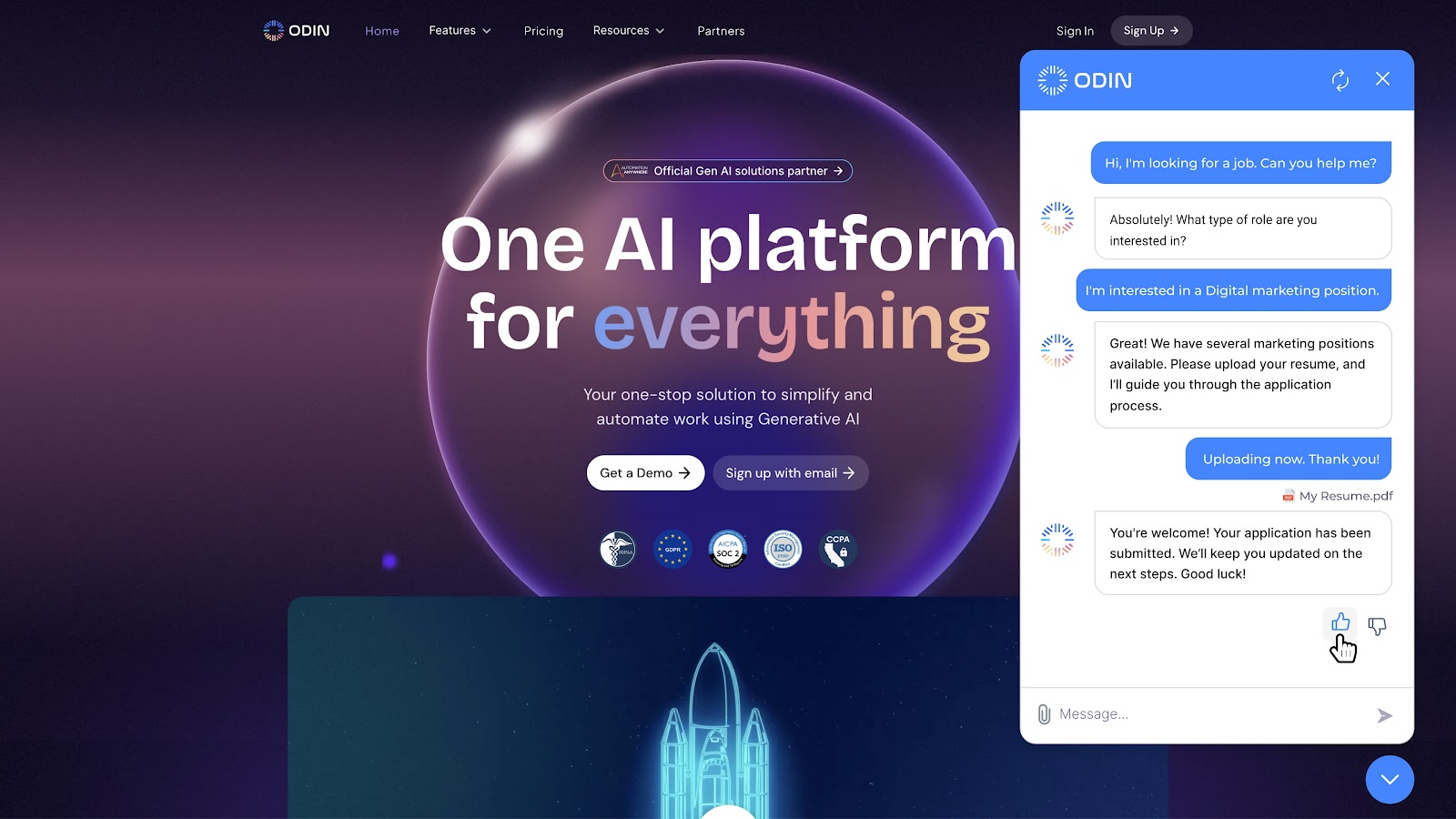
Modern teams need automation platforms that provide real-time visibility into agent performance
Shogo: The AI-First Make Alternative
Shogo isn’t trying to be a better Make. It’s building something different entirely: an AI agent platform where autonomous agents handle complex business processes, and humans stay in the loop for the decisions that matter.
Here’s what that looks like in practice.
Agent Intelligence, Not Just Tool Calls
When Shogo deploys an AI agent, that agent maintains context across the entire workflow. It remembers what happened in previous interactions, reasons about the current situation, and makes decisions based on the full picture.
Compare this to Make’s approach: a scenario calls an LLM, gets a response, and moves to the next module. The LLM has no memory of what just happened, no understanding of the broader workflow, and no ability to adapt its behavior.
Gartner predicts that by 2028, 33% of enterprise software will include embedded AI agent capabilities, up from less than 1% in 2024.
No-Code Agent Builder
Shogo’s agent builder is designed for operations teams, not developers. You define the agent’s role, set its boundaries, configure its tools, and let it loose. No scenario mapping, no routing logic, no webhook configurations.
The builder handles the complexity of agent orchestration: context management, memory, tool selection, error recovery, and human escalation. You focus on what the agent should accomplish, not how it should accomplish it.
Built-In Integration Layer
Like Make, Shogo connects to the tools your team already uses. But instead of building individual scenarios for each integration, you configure the agent’s tool access and let it decide which tools to use and when.
Need your agent to pull data from Salesforce, update a Google Sheet, send a Slack message, and create a Jira ticket? Configure those as available tools. The agent figures out the optimal sequence and handles failures gracefully.
Transparent, Predictable Pricing
No credits. No mystery multipliers. No bill shock at the end of the month. Shogo’s pricing is based on agent usage tiers with clear, predictable costs. You know exactly what you’re paying before you scale.
Feature Comparison: Make vs Shogo
Feature ratings across key categories: Make excels at visual workflow building, while Shogo leads in AI agent intelligence and enterprise security
Core Platform Philosophy
| Capability | Make | Shogo |
|---|---|---|
| Primary approach | Rule-based workflow automation | AI agent orchestration |
| Decision-making | Predefined conditions | Context-aware reasoning |
| Error handling | Log and stop | Self-healing with fallback |
| Learning | Manual scenario updates | Agent improves from outcomes |
| Human involvement | Manual escalation rules | Intelligent escalation with context |
AI and Agent Intelligence
This is where the gap is widest. Make treats AI as another module in a workflow. Shogo builds the entire platform around agent intelligence.
Make’s AI integration: Call an LLM API, pass a prompt, get a response, continue the workflow. The LLM has no memory, no context beyond the current step, and no ability to adapt.
Shogo’s AI agent: Deploy an autonomous agent with a defined role, tools, and boundaries. The agent maintains context across interactions, reasons about complex situations, makes decisions, and learns from outcomes. It handles the routine autonomously and escalates to humans with full context when needed.
According to Forrester’s 2025 AI Agent Report, teams using AI agent platforms report 3.2x faster time-to-value compared to traditional workflow automation tools.
Pricing and Cost Predictability
| Tier | Make (monthly) | Shogo (monthly) |
|---|---|---|
| Free | 1,000 credits | Free tier available |
| Starter | $9-18 (10K credits) | $25 (agent access) |
| Pro | $16-34 (10K credits) | $45 (full agent suite) |
| Enterprise | Custom | Custom |
Cost comparison by usage tier: Shogo costs more at the starter tier but delivers significantly better value at scale due to agent intelligence
The key difference isn’t the sticker price. It’s what you get for that price. Make charges per operation, which means every data transformation, every routing decision, every API call counts against your limit. Shogo charges for agent access, and the agent figures out the most efficient way to accomplish the task.
Enterprise Security and Compliance
Make offers basic security features: two-factor authentication, team permissions, and SOC 2 Type II compliance on enterprise plans. It’s adequate for small to mid-sized teams.
Shogo was built for enterprise from day one. SOC 2 compliance, GDPR data handling, role-based access control, comprehensive audit trails, and data residency options are standard features, not premium add-ons.
When to Stick With Make
Make isn’t going away, and it shouldn’t. For certain use cases, it’s still the right choice:
-
Simple, deterministic workflows: If your automation is “when form submitted, add to spreadsheet and send email,” Make handles this perfectly.
-
Large integration library needs: Make’s module library is massive. If you need to connect 50 different apps in a chain, Make has the connectors.
-
Budget-constrained teams: If you’re a small team with simple automation needs and a tight budget, Make’s free tier and low entry price are hard to beat.
-
Existing investment: If you’ve already built 30+ scenarios that work well, there’s no reason to rip them out. Keep Make for the structured stuff.
The question isn’t “Make or Shogo?” It’s “Which workflows need intelligence, and which just need execution?”
When to Switch to Shogo
The switch to Shogo makes sense when:
-
Your workflows need decision-making: Customer support, onboarding, sales qualification, compliance monitoring, and any process where the “right” action depends on context.
-
You’re hitting Make’s scaling limits: When your scenario count grows to 50+, debugging and maintaining rule-based workflows becomes a full-time job.
-
Enterprise security matters: If you’re in a regulated industry or handling sensitive data, Shogo’s security model is built for that reality.
-
You want AI that actually works: Not AI as a tool call, but AI as an autonomous agent that reasons, adapts, and improves.
The shift from rule-based automation to AI agent platforms is accelerating across industries
How to Migrate From Make to Shogo
Migration doesn’t mean ripping out everything overnight. Most teams run both platforms in parallel during the transition.
Step 1: Audit Your Current Scenarios
Map out every Make scenario. Categorize them by complexity and intelligence requirements. Simple webhook-to-API pipelines? Keep them in Make. Complex, decision-heavy workflows? Those are your migration candidates.
Step 2: Identify High-Value Migration Targets
Start with the workflows that cause the most operational pain. Customer support escalation is usually the first one: it’s high-volume, context-dependent, and currently requires constant manual intervention in Make.
Step 3: Build Agent Configurations
In Shogo, define the agent’s role, tools, and boundaries. Import your existing integration connections. Map the decision logic from your Make scenarios into agent instructions.
Step 4: Test in Parallel
Run the Shogo agent alongside your Make scenario for the same workflow. Compare outcomes, accuracy, and handling time. Let the agent prove itself before you retire the Make scenario.
Step 5: Scale and Monitor
Once the agent is performing well, increase its volume. Shogo’s monitoring dashboard gives you visibility into agent decisions, escalation patterns, and performance metrics.
Typical migration timeline: most teams complete the full transition in 4-8 weeks
Real-World Migration Example
A mid-market SaaS company was running 35 Make scenarios for their customer success workflow. The stack handled ticket routing, NPS surveys, churn risk alerts, and onboarding checklists.
The problem: 40% of customer success rep time was spent on tasks that should have been automated but couldn’t be, because the logic was too context-dependent for Make’s if/then model.
After migrating their onboarding and churn prevention workflows to Shogo, the team saw:
-
65% reduction in manual ticket handling within the first month
-
3.1x improvement in onboarding completion rates because the agent could adapt to each customer’s progress
-
$47,000 annual savings from reducing manual work and eliminating Make’s scaling costs
-
Zero silent failures in the first 90 days (compared to 2-3 Make scenario failures per week)
The remaining 20 Make scenarios (simple integrations) stayed in Make. The hybrid approach worked.
IDC’s 2025 Automation Survey found that teams using a hybrid approach (traditional automation + AI agents) report 2.8x higher satisfaction than teams using either approach exclusively.
Teams using a hybrid approach report significantly higher satisfaction
Common Mistakes When Switching From Make to Shogo
Trying to Replicate Make Scenarios 1:1
Don’t rebuild your Make logic in Shogo. AI agents work differently. Instead of mapping every condition and branch, describe the desired outcome and let the agent figure out the path.
Skipping the Parallel Testing Phase
Running the agent in isolation before comparing it to your Make scenario is a recipe for surprises. Always run both in parallel for at least two weeks.
Over-Engineering Agent Boundaries
Start simple. Give the agent clear instructions and basic tools. Add complexity as you learn what it needs. The most common mistake is trying to build a “do everything” agent on day one.
Ignoring the Human Escalation Path
AI agents are powerful, but they’re not infallible. Define clear escalation triggers and make sure your human team knows how to intervene when the agent asks for help.
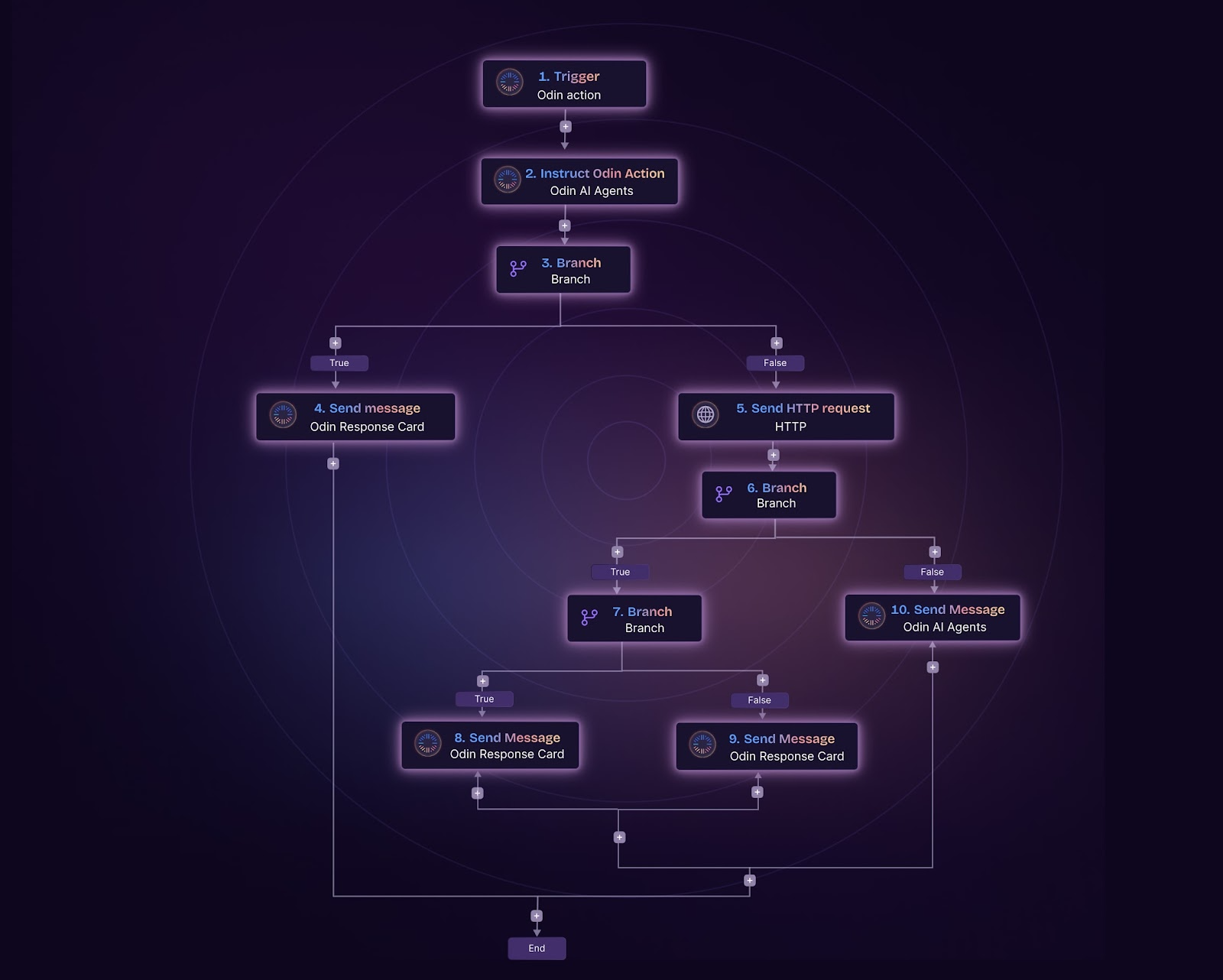
AI agents handle complex workflows while keeping humans in the loop for critical decisions
The Future of Automation Is Agentic
The automation landscape is shifting from “connect apps and run workflows” to “deploy intelligent agents that handle entire business processes.” Make built an incredible platform for the first era. Shogo is built for the next one.
The teams winning right now aren’t choosing one or the other. They’re keeping Make for the structured, deterministic stuff and deploying Shogo agents for the complex, decision-heavy work that actually moves the needle.
If your Make scenarios are starting to feel like you’re fitting a square peg into a round hole, it might be time to explore what an AI-first automation platform can do.
Ready to See the Difference?
Shogo gives you AI agents that actually think, not just execute. See how teams are replacing complex Make scenarios with intelligent agents that handle the hard stuff.
Start building with Shogo or book a demo to see agent intelligence in action.
Frequently Asked Questions
What is the best Make alternative in 2025?
The best Make alternative depends on your needs. For simple workflow automation, Zapier or n8n might suffice. For AI agent capabilities and enterprise-grade automation, Shogo is the leading alternative. Teams switching for AI intelligence and agent-based automation consistently choose Shogo over other Make alternatives.
Is Shogo more expensive than Make?
Shogo’s entry price is slightly higher ($25/month vs Make’s $9-18/month starter tier). However, Shogo charges for agent access rather than per-operation credits, which means costs are more predictable and often lower at scale. Teams processing 100K+ operations monthly typically find Shogo more cost-effective.
Can I use Make and Shogo together?
Yes. Most teams run both platforms in parallel during migration. Keep Make for simple, deterministic workflows and deploy Shogo agents for complex, decision-heavy processes. The hybrid approach is common and Shogo’s integration layer works alongside existing Make scenarios.
How long does it take to migrate from Make to Shogo?
Most teams complete migration in 4-8 weeks. The timeline depends on the complexity of your Make scenarios and how many workflows you’re migrating. Simple integrations can be moved in days. Complex agent-based workflows typically take 2-3 weeks to build, test, and deploy.
Does Shogo support the same integrations as Make?
Shogo supports all major integrations including Salesforce, HubSpot, Slack, Google Workspace, Microsoft 365, Jira, and 100+ other tools. Instead of building individual scenarios for each integration, you configure them as agent tools and let the AI agent decide when and how to use them.
Author Bio
Shogo Editorial Team specializes in AI agent platforms, workflow automation, and enterprise technology. With deep expertise in AI-powered operations, the team helps organizations transition from rule-based automation to intelligent agent systems. Contact: [email protected]
Last reviewed and updated: July 2026
Sources
- McKinsey & Company. “The State of AI in 2025: Global Survey.” McKinsey Global Institute, 2025.
- Gartner. “Predicts 2025: AI Agent Platforms Will Transform Enterprise Software.” Gartner Research, 2025.
- Forrester Research. “The AI Agent Report: How Agent Platforms Deliver Faster Time-to-Value.” Forrester, 2025.
- IDC. “Worldwide Automation Survey 2025: Hybrid Approaches Drive Higher Satisfaction.” IDC, 2025.
- Harvard Business Review. “Why Rule-Based Automation Is Hitting Its Limits.” HBR, 2025.
- Deloitte. “State of Intelligent Automation: From Workflows to Agents.” Deloitte Insights, 2025.
- McKinsey & Company. “The Economic Potential of Generative AI in Business Operations.” McKinsey, 2025.
- Forrester Research. “Total Economic Impact of AI Agent Platforms.” Forrester, 2025.
- Gartner. “Market Guide for AI Agent Platforms and Orchestration.” Gartner, 2025.
- SOC 2 Compliance Report. “Enterprise Security Standards for AI Automation Platforms.” AICPA, 2025.